
The brief
A fictional presenter introduces the portrait-to-video workflow in a complete message. The source image, voice and animation were created for this demonstration through Mozify. Start here if you want to understand what a custom avatar actually produces.
Every source in this case was created through Mozify’s authenticated tools. Only the selected demonstration exports and inputs are published here. Your workspace assets remain private.
Start with the portrait and the voice
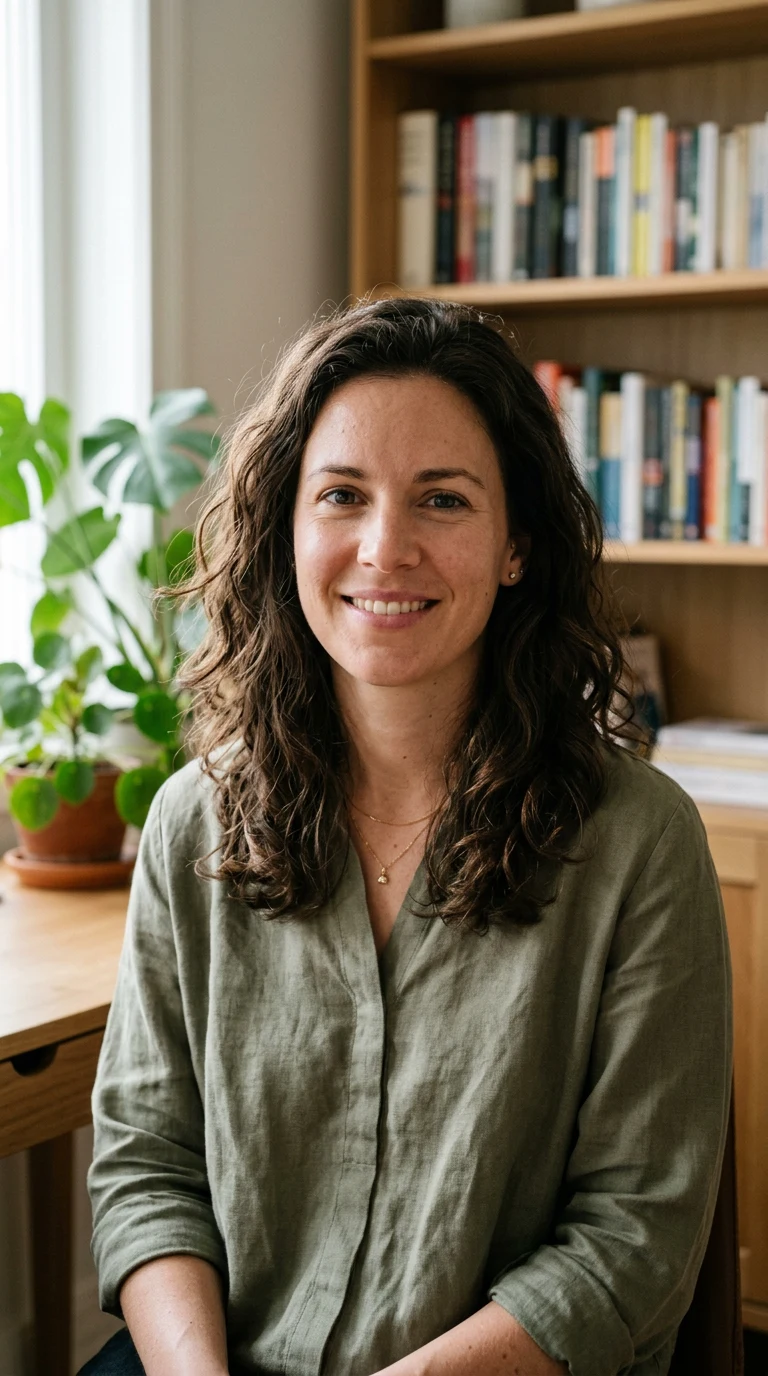
The source portrait sets the composition. The separate narration sets the message and delivery. Inspect both before judging the animated result.
Read the original portrait prompt
Photorealistic medium portrait of a fictional adult woman aged 32, shoulder length wavy dark brown hair, natural friendly expression with closed lips, looking straight into camera. Seated in a contemporary warm home office, wearing a muted olive green blouse, soft window daylight from left, blurred books and a leafy plant behind. Chest-up framing with generous room above head, hands below frame. Authentic creator portrait, realistic skin texture, no beauty filter, no text, no logos. Vertical 9:16.
The complete script
You do not need to film yourself every time you have something new to say. This presenter started with a single portrait. The voice you are hearing was created separately, then brought together with that image in Mozify. Here is the simple version. First, choose a clear portrait with your face looking toward the camera. Next, add a voice recording with the message you want to share. Then open Talking Head, review the settings and the credit quote, and create your video. Use it to introduce your business, explain a service, or give your next post a familiar face. Keep your first script focused on one idea. Watch the whole result, check the voice and timing, and refine what needs attention. Your portrait. Your message. A presenter you can make your own.
This is the spoken script for the example, not a customer review. Adapt the details and claims to your own content. Download captions (VTT).
See where each part happens
Follow the real Mozify interface: prepare the portrait, create the narration, combine them in Talking Head, then inspect the result. The silent walkthrough has step captions and reviews the completed run; generation waiting time is omitted.
Settings, cost and production notes
The presenter was generated at 720p using InfiniteTalk. Narration used Rachel · ElevenLabs v3 in Mozify Workflows. The final format is 9:16. Measured source duration: 51.8 seconds.
| Stage | Recorded credits | Elapsed time |
|---|---|---|
| Portrait · Nano Banana 2 | 5 | 0:39 |
| Narration · ElevenLabs v3 in Workflows | 0 | 1:16 |
| Presenter · InfiniteTalk | 288 | 26:59 |
| Final edit · Mozify Editor | 0 | 0:38 |
These are this production’s recorded charges and elapsed times, including queue time. They are not a fixed price or speed promise. The production workspace was funded by Mozify. Your live quote is authoritative; a zero-credit stage here does not guarantee free access.
- One new portrait, one narration and one Talking Head generation were used. The original presenter video is 704 × 1280; the Editor export is 720 × 1280.
- The exported version adds short titles in Mozify Editor. It keeps the full spoken message at its original speed, without looping.
- The input portrait is a fictional AI-generated person. Movement is primarily facial and the presenter remains seated; review the full video for your intended use.
- Public MP4s are compressed for web playback while preserving the complete duration and resolution. Uncompressed source artifacts are retained privately.
What to look for
Watch the opening, middle and final sentence with sound. Check whether the face stays usable, the mouth follows the voice and the narration ends cleanly. On product cutaways, compare the shape and material with the reference.
The generated presenter may show limited gestures or small facial changes. Product footage should be checked frame by frame before it represents a real item. This demonstration gives you a complete output to assess; it does not promise identical results for every portrait or any particular sales outcome.
If you want to create your own version, start with one approved portrait and a finished recording. Review one result before expanding into more variants.