Start with the campaign.
Explain the audience, product, placement and message. Keep the conversation connected to the work you want to make.
MOZIFY / AI AGENT
Work through an idea in conversation. Give Agent the context, audience and assets, then turn the creative direction into a plan you can review and continue in your workspace.
A campaign direction from Agent
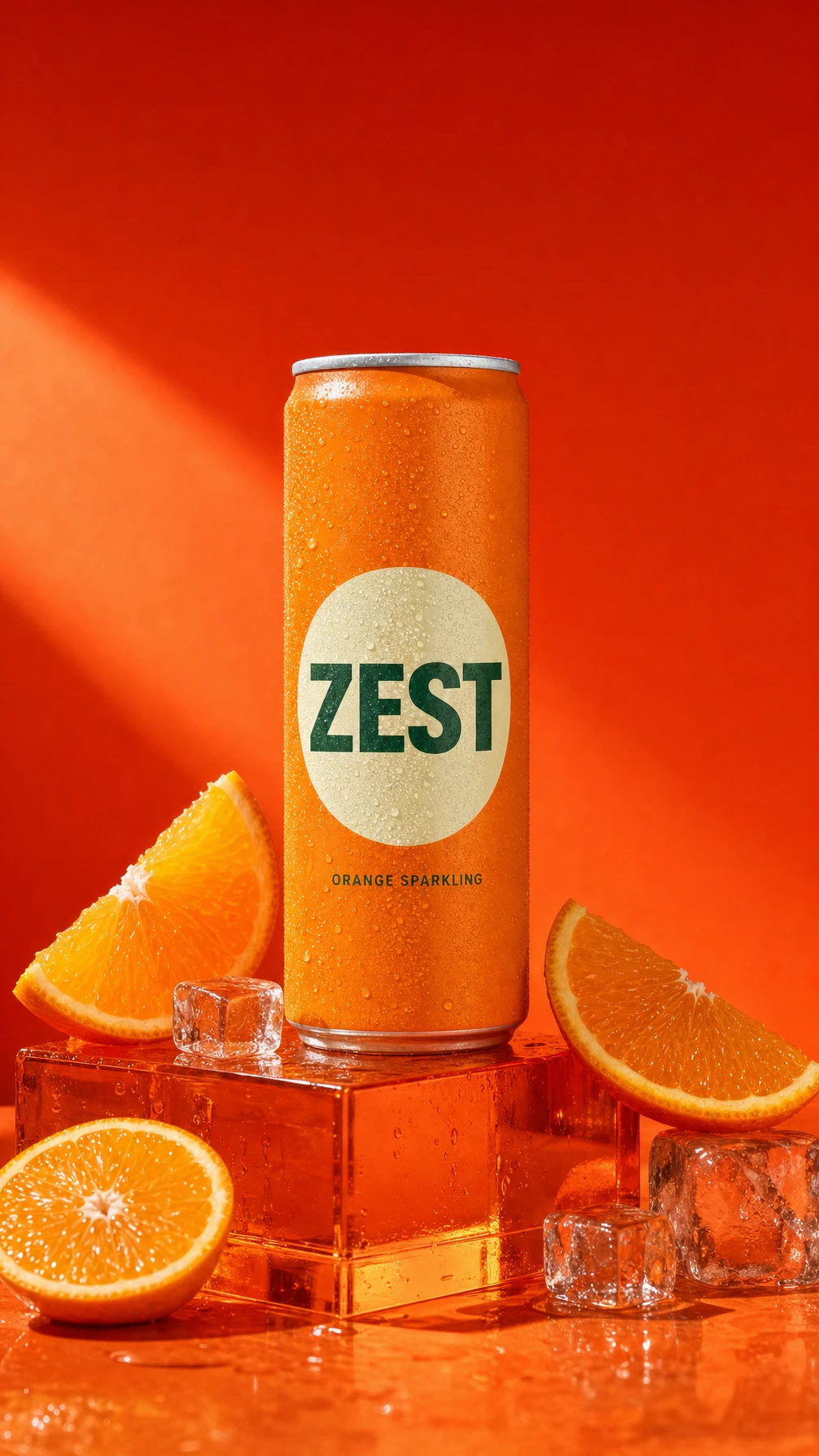
ZEST: Spark
Your Afternoon.
An actual headline from the
campaign planning conversation.
Actual Agent output · Excerpt from the ZEST planning conversation
Explain the audience, product, placement and message. Keep the conversation connected to the work you want to make.
Attach supported assets and point out the details that matter. A shared brief gives the next steps clearer direction.
Review proposed actions, inputs and generation costs. Use the plan to continue creating and bring completed assets into your edit.
INSIDE MOZIFY
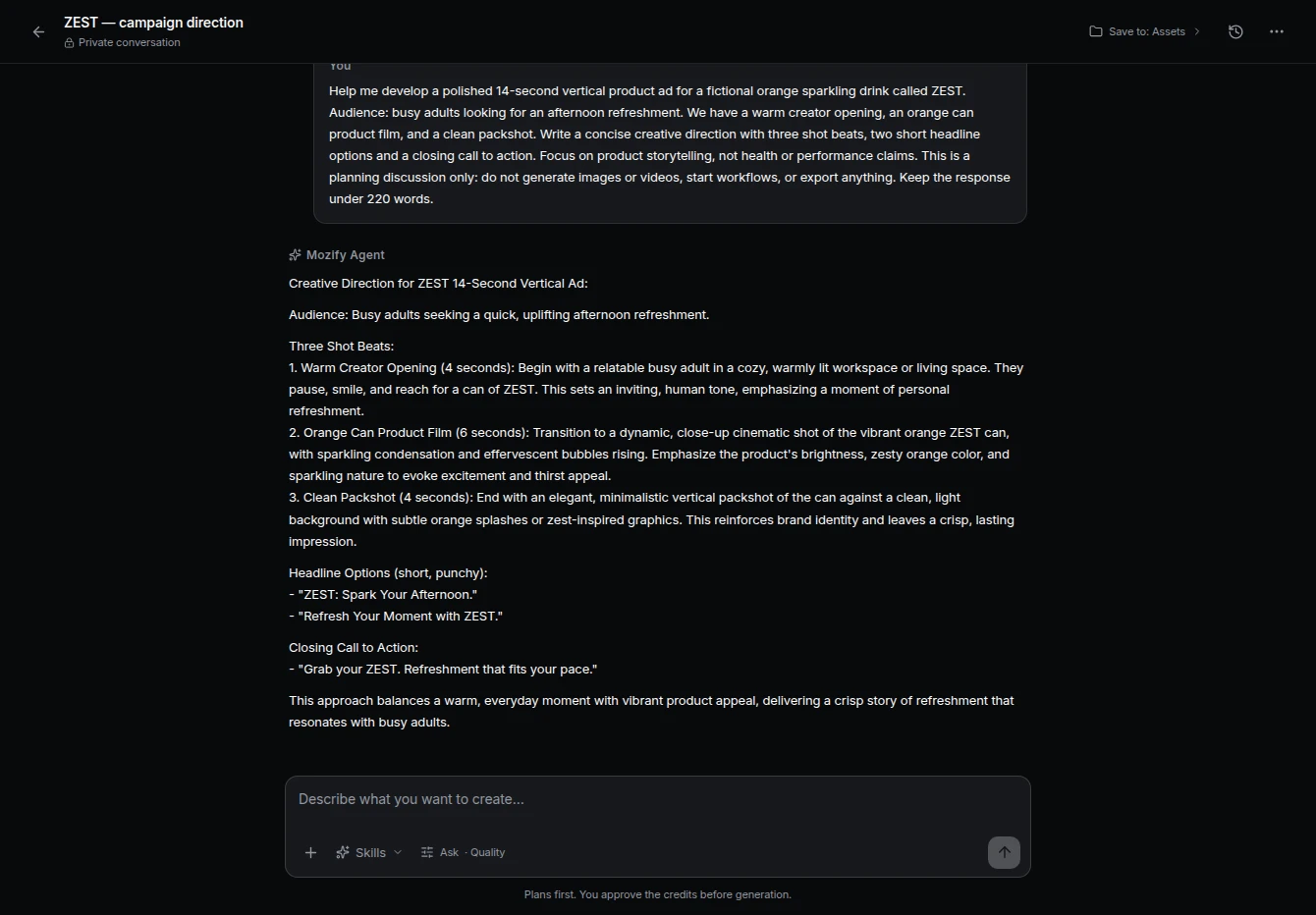
Actual Agent response: a three-shot direction, two headline options and a closing call to action. The timing was refined later in the Editor.
FROM THE FIRST STEP
Describe the product, audience and intended result. Attach relevant workspace assets and choose an available creative skill.
Answer follow-up questions or clarify the brief. Review the proposed approach and any generation actions.
Confirm a proposed run when you are ready. Inspect the outputs and continue through the available workflow or Editor actions.
BUILT AROUND YOUR WORK
Turn a broad product idea into a more specific direction.
Explore a different hook, setting or angle in the same conversation.
Keep references and decisions together as you move into generation.
Include the product, audience, goal, placement and tone. Add references where useful and describe the output you want, such as an image concept or a short ad sequence.
Your product, your message, your next ad. Start with an image and build the story in Mozify.