
 IMAGE MODEL / GOOGLE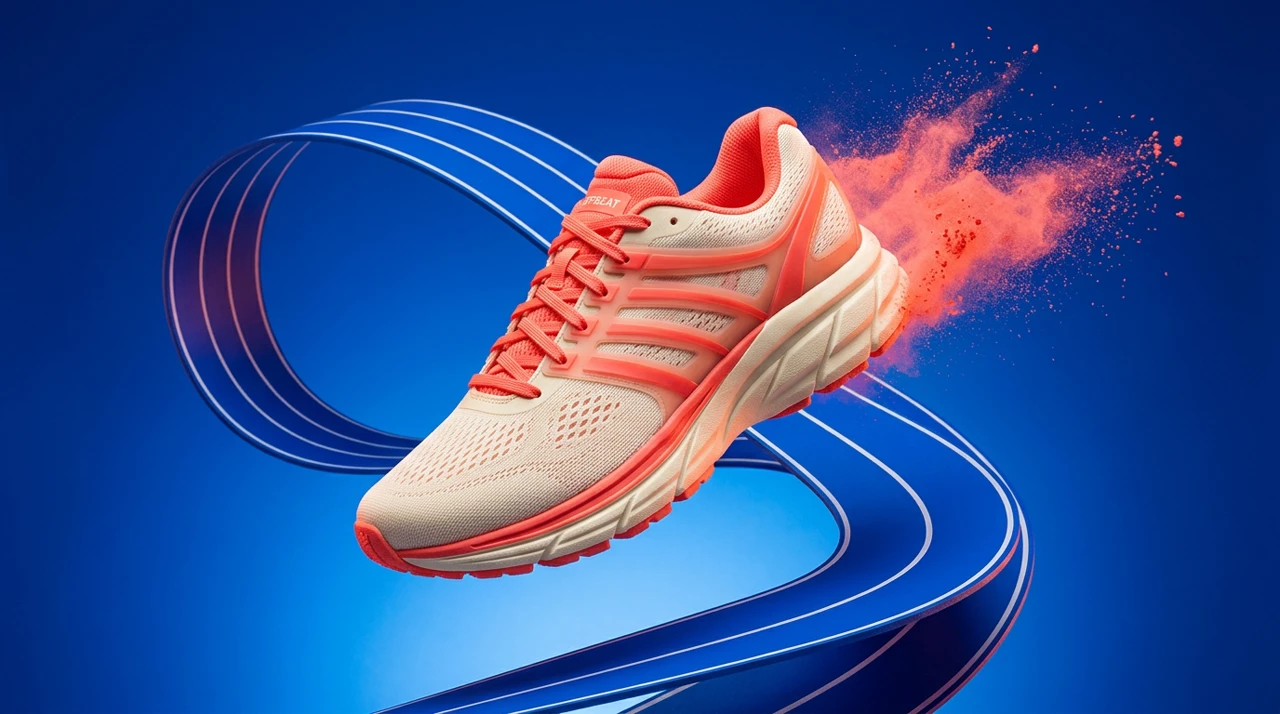
NANO BANANA 2 · EDIT / REFERENCE
OFFBEAT / Footwear
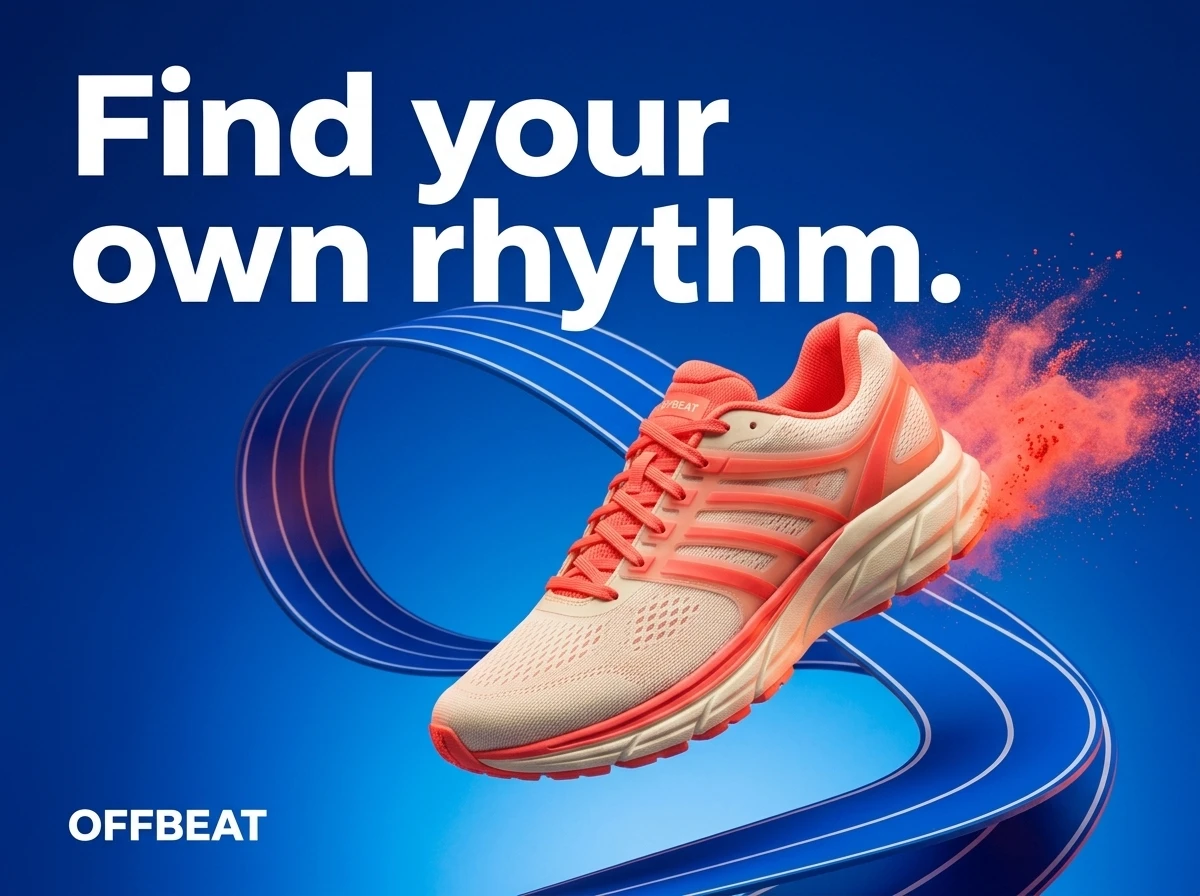
Keep the shoe recognizable and turn the product scene into a poster with a single headline.
See actual Nano Banana 2 image edits made in Mozify: footwear, travel and fragrance references developed into campaign posters. Compare the source with the selected result, then use Text or Edit / Reference for your own brief.
Explore free, no card required. A paid plan is required to generate and export.
Keep the shoe recognizable and turn the product scene into a poster with a single headline.
Actual Nano Banana 2 edits for fictional campaigns. Open either image at full size to inspect the product and typography.
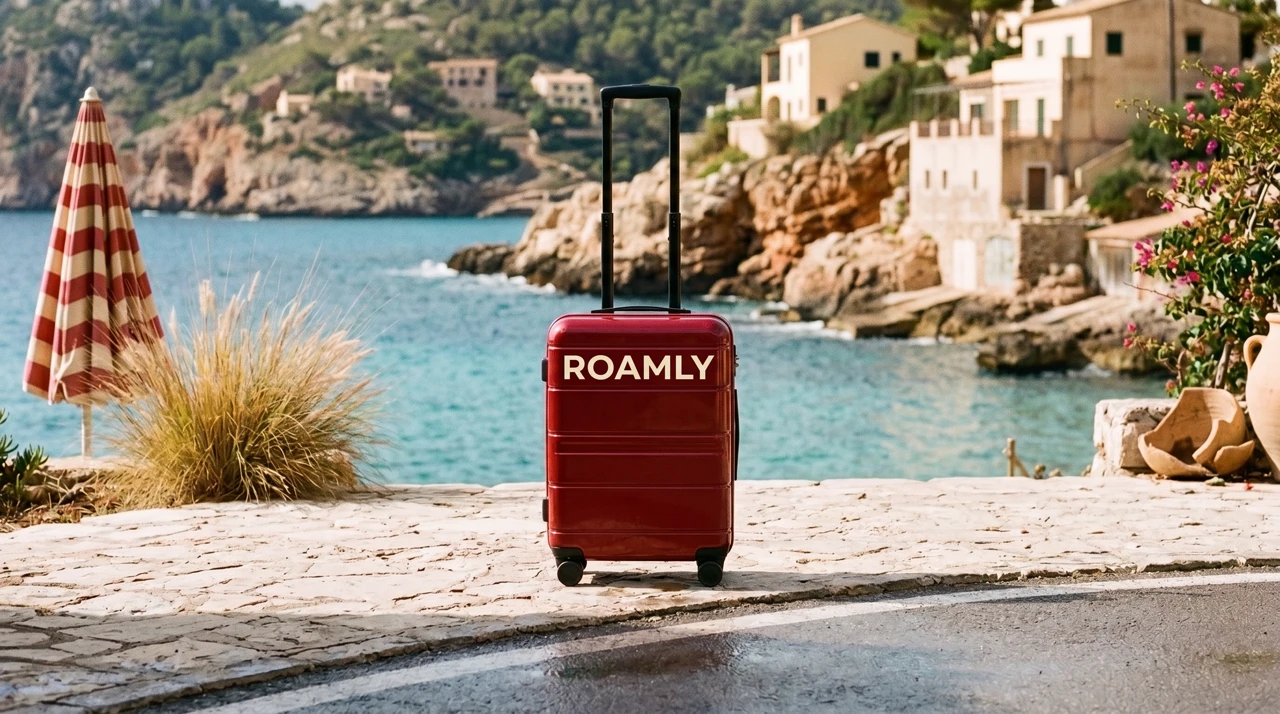
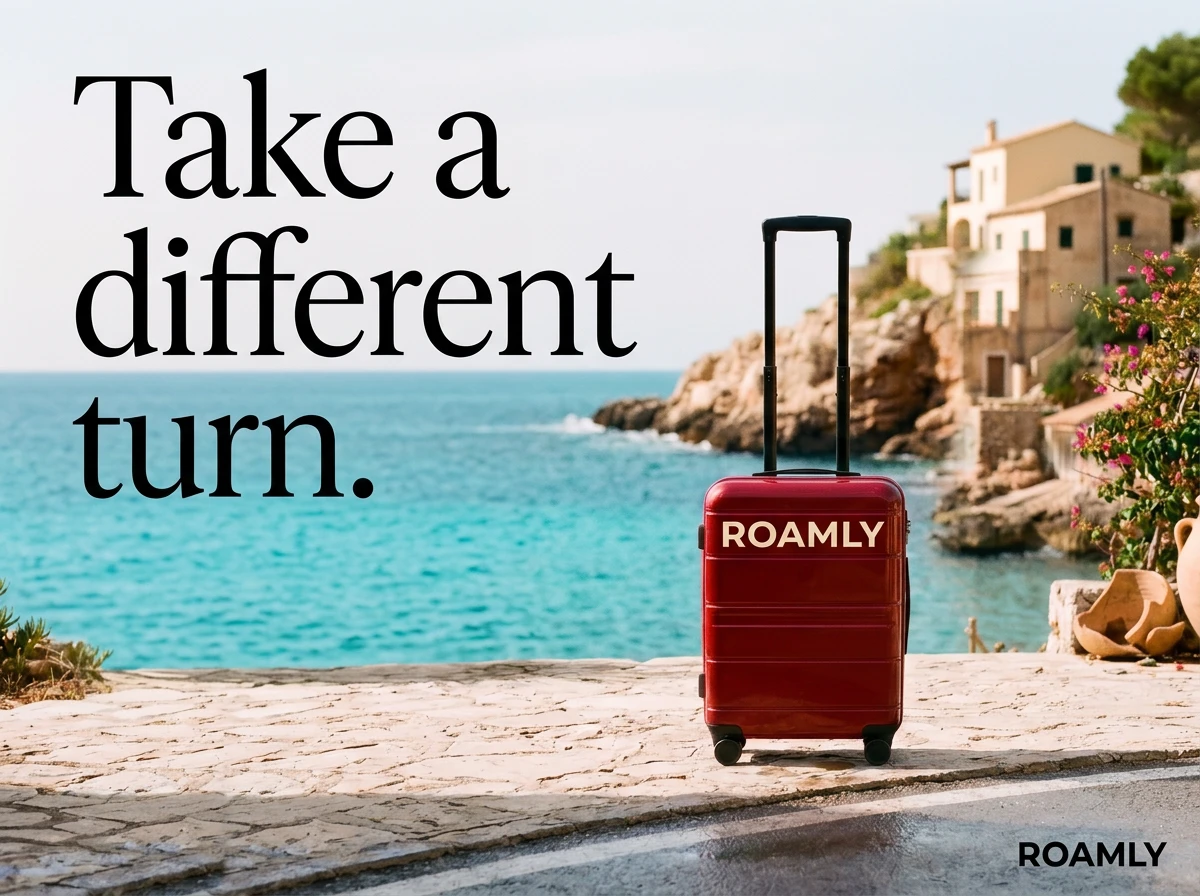
Build a travel poster around the red luggage and a clear ROAMLY wordmark.
What to look forThe first two poster attempts retained a background seam. This selected third attempt rebuilds the composition; inspect the backdrop as well as the case.
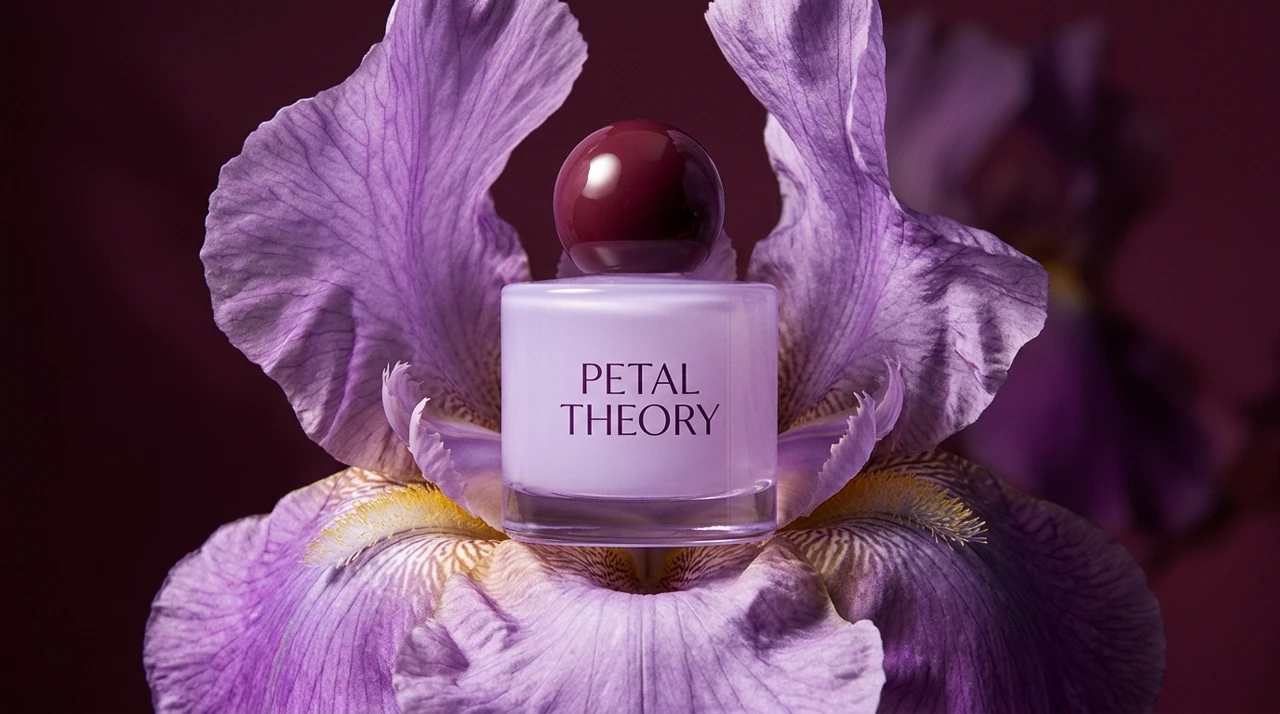
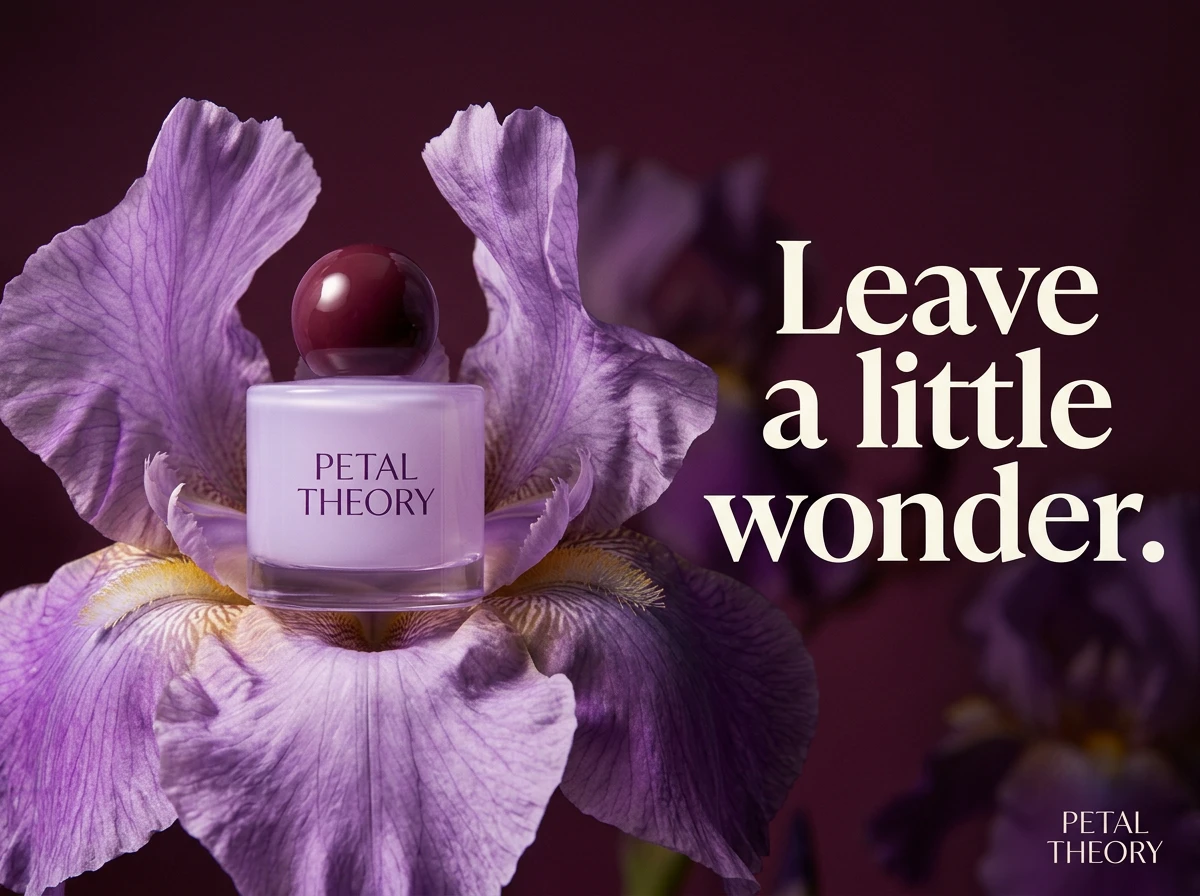
Develop the fragrance scene into a campaign poster with one headline and a readable bottle label.
What to look forInspect the cap and bottle outline against the reference, then check the smaller label at full size.
Three steps in the studio. Open any screenshot to see the controls at full size.
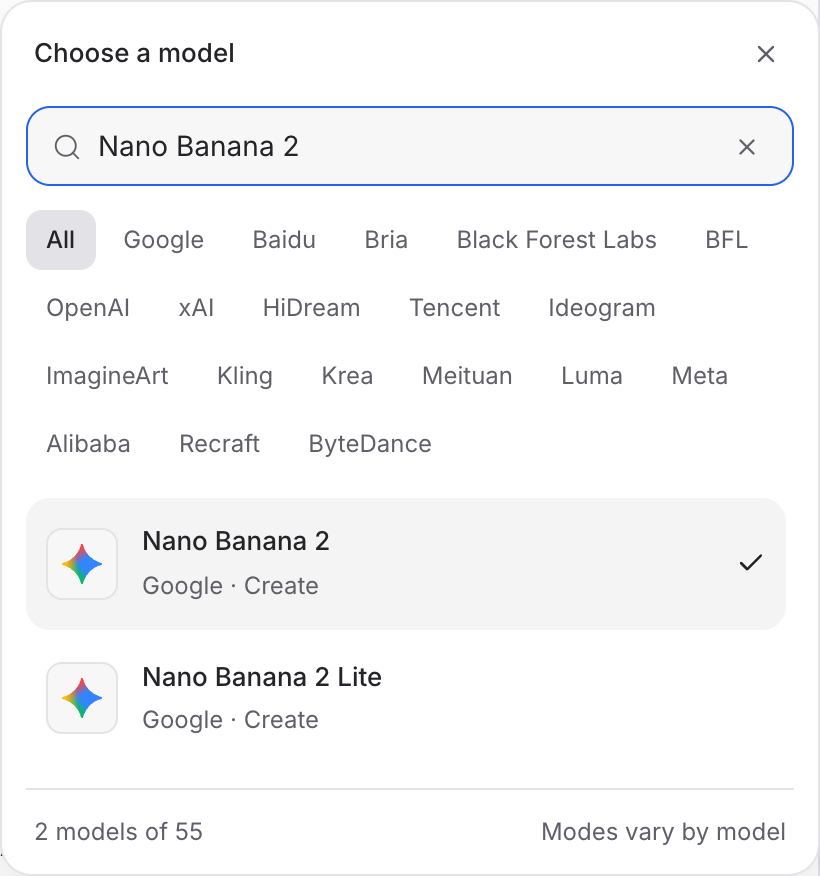
Open Image Studio, search for Nano Banana 2 and select it. Choose the input mode that matches your starting material.
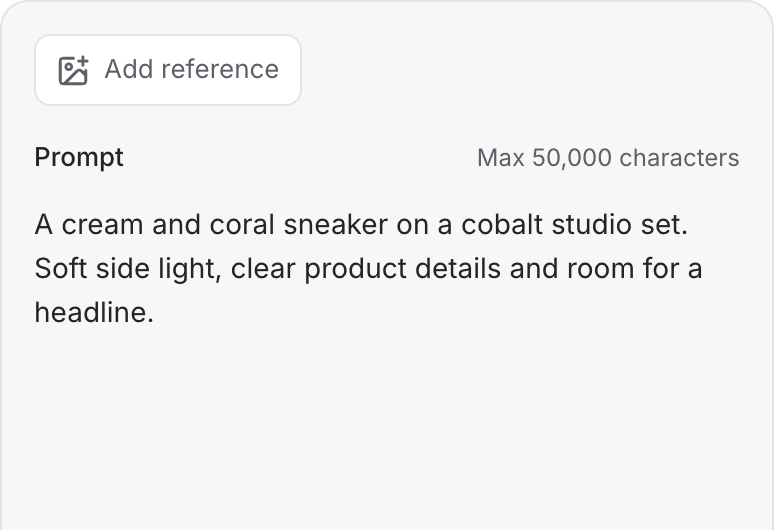
Describe the subject, composition and lighting. To revise an existing image, choose a supported reference mode and add the source image.
Set the available image size and output options, then review the credit quote. Click Generate and inspect your result at full size.
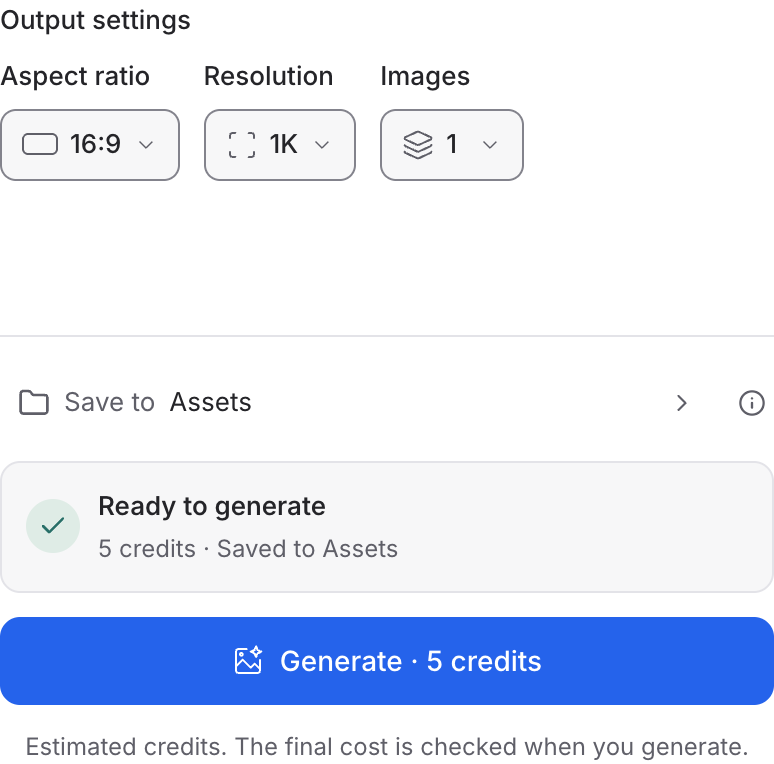
Choose a mode below to see supported media and creative controls, then open that profile in Mozify.
Supply an image and describe the revision. Separate the details to preserve from the parts you want to change.
Open this mode in Mozify ↗Use this suggested exercise to start your own generation. The gallery above shows separately recorded outputs.
A suggested exercise to run in your workspace.
The examples begin with an existing scene. The edit adds campaign typography and composition; the product still needs a side-by-side review.
The ROAMLY poster needed three attempts to remove a background seam. The gallery shows the selected result, not a guarantee of a first-pass outcome.
Retain both the product scene and the poster. Use the clean scene when a later video should avoid moving or distorting headline text.
Featured in the Mozify studios.
Create campaign images from text or references.
Explore new compositions and reference edits.
Build product scenes with text and image inputs.
Create and revise visuals from product references.
Generate images, edits and repeating patterns.
Create new scenes or edit an existing image.
Generate images with a palette and design brief.
Turn text and references into campaign stills.
Open a guide to explore the inputs and a practical brief. Current availability and credit quotes are shown in your workspace.
Open the Image studio and check the model picker for Nano Banana 2. Select an enabled profile, add its required inputs and review the quote before running.
Bring your product, your brief or your next big idea. Start creating in Mozify.
Explore free, no card required. A paid plan is required to generate and export.


