
GET /v1/public/modelsRead the model contract
Choose an enabled profile and read its input schema. Required fields depend on the model and mode.
Bring image and video generation into your own application. Discover models, quote a request, submit a job and retrieve its results through the Mozify API.
Explore free, no card required. A paid plan is required to generate and export.
POST /v1/public/generations/quote
Authorization: Bearer YOUR_API_KEY
Content-Type: application/json

{
  "profileId": "PROFILE_ID_FROM_MODELS",
  "inputs": {
    "prompt": "A ceramic cup in morning light"
  }
}
Choose an enabled image profile from the model catalog and include its required inputs. Send this request from your server.
The API follows the same generation process as the workspace. Read the profile schema, quote the inputs, submit with the quote token and follow the returned job.
GET /v1/public/modelsChoose an enabled profile and read its input schema. Required fields depend on the model and mode.
POST /v1/public/generations/quoteSend profileId and inputs. Inspect the returned credit amount and retain the quoteToken.
POST /v1/public/imagesInclude the quoteToken and an Idempotency-Key. Use /videos for a video request.
GET /v1/public/jobs/:idPoll the returned job ID or use webhooks, then retrieve outputs through the authenticated download flow.
Follow the steps below. Open any screenshot to see the controls at full size.
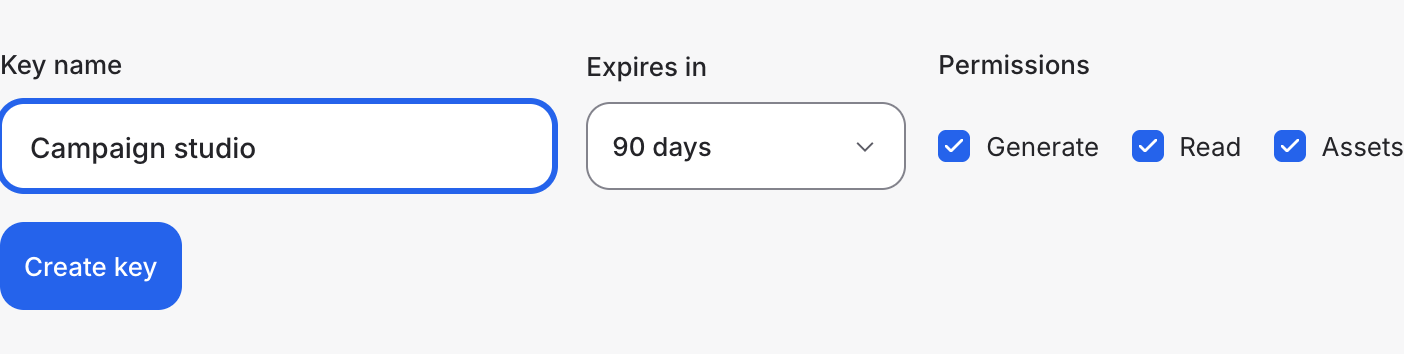
Open Developer API → API keys. Name the key, choose its expiry and permissions, and keep the generated secret in your server environment.
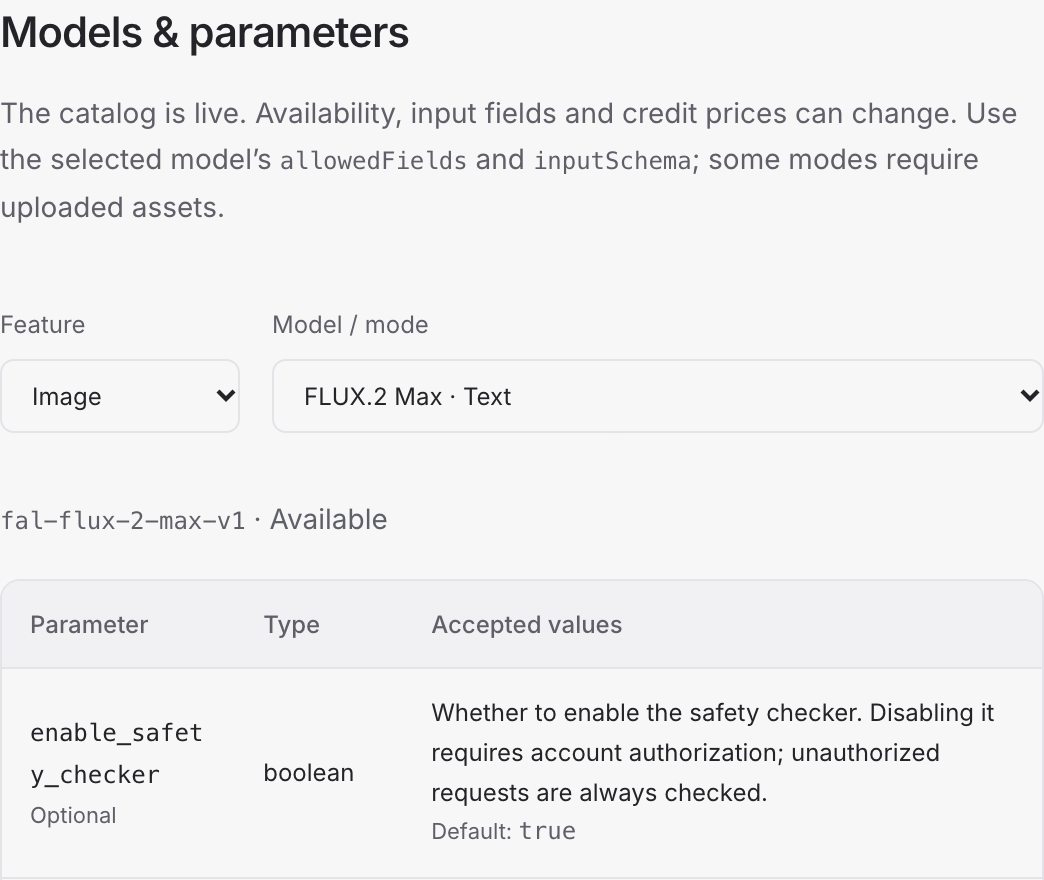
Open Documentation to select a model and inspect its parameters. Prepare the required inputs and request a generation quote.
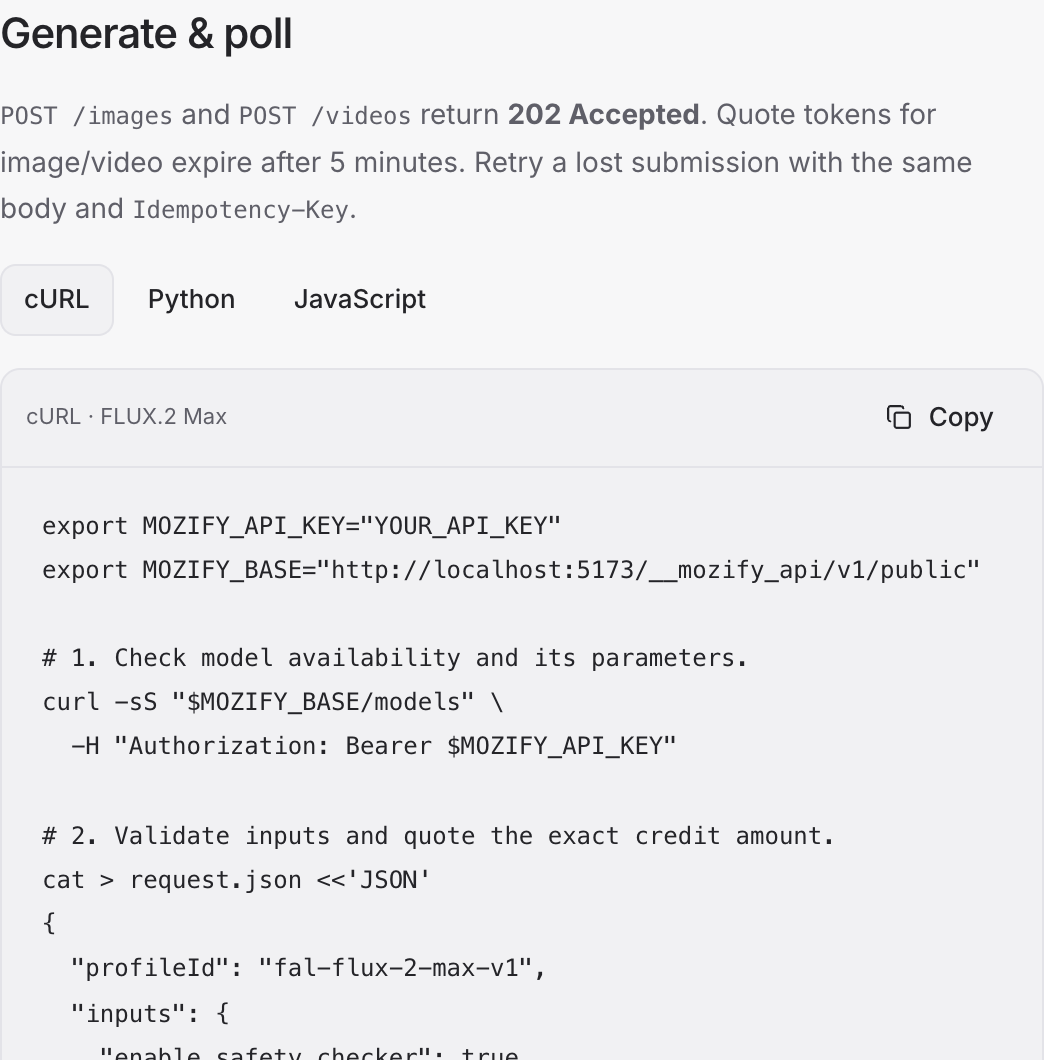
Use the documented request with the quote token and an idempotency key. Follow the returned job status and download completed outputs.
Create a Mozify account to explore the workspace. A paid plan is required to generate and export. Review the credit quote before confirming a generation.
Bring your product, your brief or your next big idea. Start creating in Mozify.
Explore free, no card required. A paid plan is required to generate and export.