
Watch the complete story
These are complete 24-second outputs. Watch how each film opens, develops its action and finishes; inspect continuity between the shots.
Watch three complete 24-second Seedance 2.5 films generated in Mozify: a miniature robot story, a coffee commercial and a fragrance film. Each includes native sound; the commercials also include speech. Start from a text brief or add supported references.
Explore free, no card required. A paid plan is required to generate and export.
Generated through Mozify from text with native sound. Play the complete 24-second films to hear the dialogue, effects and music as the story unfolds.
Three steps in the studio. Open any screenshot to see the controls at full size.
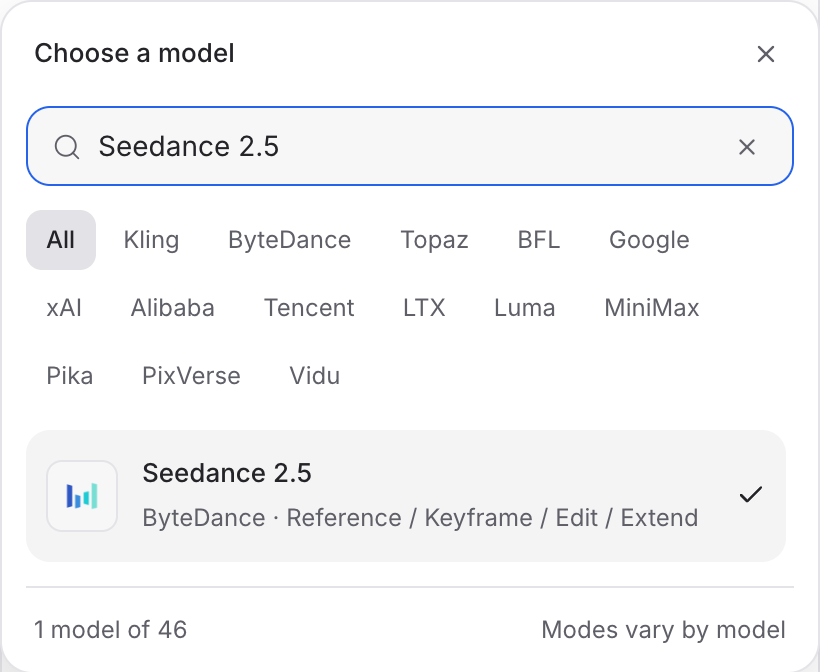
Open Video Studio, search for Seedance 2.5 and select it. Choose the input mode that matches your starting material.
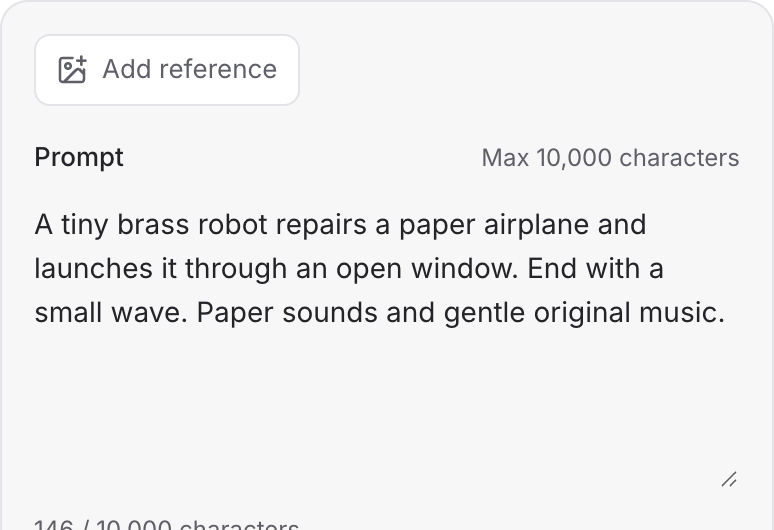
Describe the action, camera movement and ending. Add the images or other references required by your chosen mode.
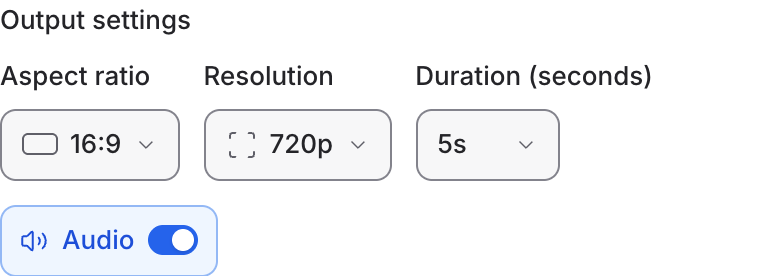
Set the available format and duration controls. Enable Audio when offered, review the credit quote and click Generate. Play the result with sound.
Choose a mode below to see supported media and creative controls, then open that profile in Mozify.
Use the supported reference media to guide the scene. State which appearance, movement or sound each reference should inform.
Open this mode in Mozify ↗Use this suggested exercise to start your own generation. The gallery above shows separately recorded outputs.
A suggested exercise to run in your workspace.
These are complete 24-second outputs. Watch how each film opens, develops its action and finishes; inspect continuity between the shots.
Add images for appearance, or supported video and audio references for the direction you want to communicate.
These films were generated with audio enabled. Brief the dialogue, effects and music as part of the story, then listen to the complete result.
Featured in the Mozify studios.
Generate clips, edit footage and reuse references.
Create shots, connect frames and extend videos.
Create video from text, frames or media references.
Build short scenes from text and references.
Create video from prompts, frames or media references.
Create clips, edit footage and change framing.
Start a video from text, an image or audio.
Open a guide to explore the inputs and a practical brief. Current availability and credit quotes are shown in your workspace.
Open the Video studio and check the model picker for Seedance 2.5. Select an enabled profile, add its required inputs and review the quote before running.
Bring your product, your brief or your next big idea. Start creating in Mozify.
Explore free, no card required. A paid plan is required to generate and export.


